User Interface & Experience (UI/UX)
Our script is built with a Mobile-First philosophy. We understand that more than 60% of your community members will access your site via smartphones.
1. User Dashboard
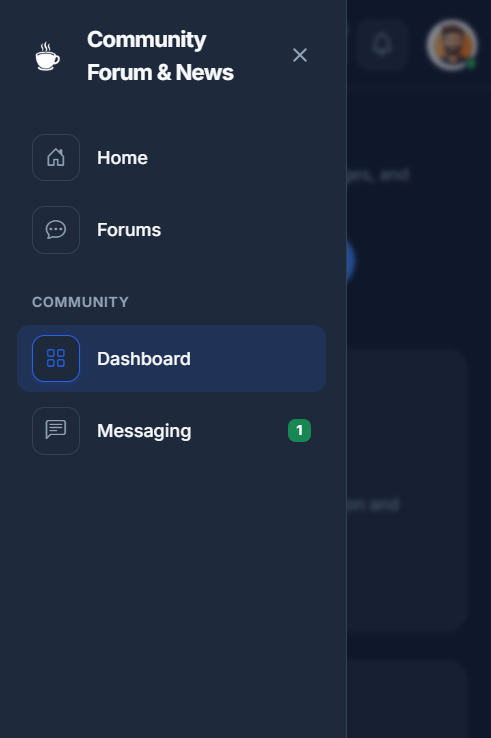
Logged-in users have access to a sleek, slide-out navigation panel (Off-canvas menu). This provides quick access to essential features without cluttering the screen.
Key Features:
- Unified Navigation: Access Forums, Messaging, and Profile settings from a single tap.
- Real-time Notifications: Unread messages are highlighted with a green badge counter (as seen above).
- Smooth Transitions: The menu slides in smoothly, offering a "Native App" feeling.
2. Native Dark Mode
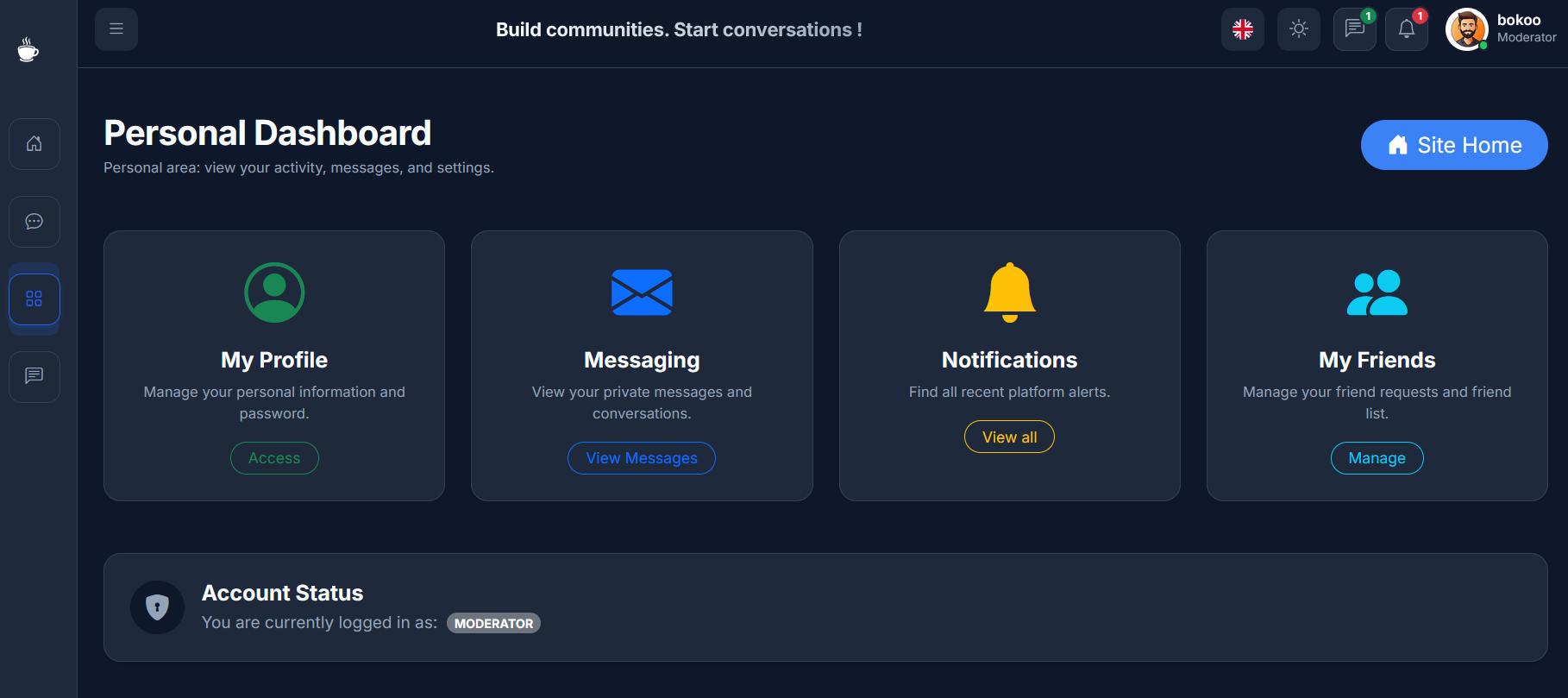
The design fully supports Dark Mode. It is not just an inverted color scheme; we have carefully selected a color palette that reduces eye strain while maintaining high contrast for readability.
- Automatic: The interface looks stunning on both light and dark themes.
- Consistency: All pages, from the homepage to the admin panel, are optimized for dark environments.
3. 100% Responsive Design
Whether your users are on a 4K desktop, a laptop, a tablet, or a smartphone, the layout adapts perfectly.
!!! success "Mobile Optimized" * Touch-friendly: Buttons and menus are sized for fingers. * Readable: Font sizes adjust automatically for small screens. * No Zooming: No need to pinch-and-zoom to read forum posts.